QR menu by phone scan, no app
Guests scan the code with their phone camera and the menu opens instantly. No app download and no account
Features
Thirty documented features, designed from real hospitality work: a clearer experience for guests, and easier management for you
What your guest sees from the moment of the scan to the moment they choose a dish
Guests scan the code with their phone camera and the menu opens instantly. No app download and no account
An AR/EN button flips the entire menu between both languages with full bidirectional support, and the system remembers each guest's choice
An install button adds the menu as an icon on the phone screen. One-tap access for regular guests
A static, cacheable version opens even on a weak connection. No waiting and no apologies
An optimized photo for every dish, shown on the card and full-size on the item page, because guests eat with their eyes first
A written description for every item in both languages that explains the dish. No cryptic names and no guessing
A paragraph telling each dish's story. A detail that builds connection with the dish and justifies its price (can be enabled in settings)
Each dish's ingredients shown with clear badges, for guests with allergies and diets, no need to ask the waiter
Standard badges on every item. A growing segment of guests finds itself in your menu
Calorie counts shown for every item. Information health-conscious guests expect
Expected prep minutes shown for every item, so guests in a hurry know what to pick
A visible one-to-three indicator of heat level. No surprises and no angry reviews
Most ordered, chef's pick, signature dish, seasonal. Your standout dishes never get lost among dozens
A section suggesting accompanying dishes for each item. Extra sales happen automatically without the waiter stepping in
Category tabs with icons and item counts, plus featured, most-ordered, and seasonal carousels. A long menu stays easy to browse
Guests switch between grid, list, and compact views, because one layout doesn't suit everyone
Phone, a WhatsApp button with a ready message, maps link, website, and working hours: all inside the menu
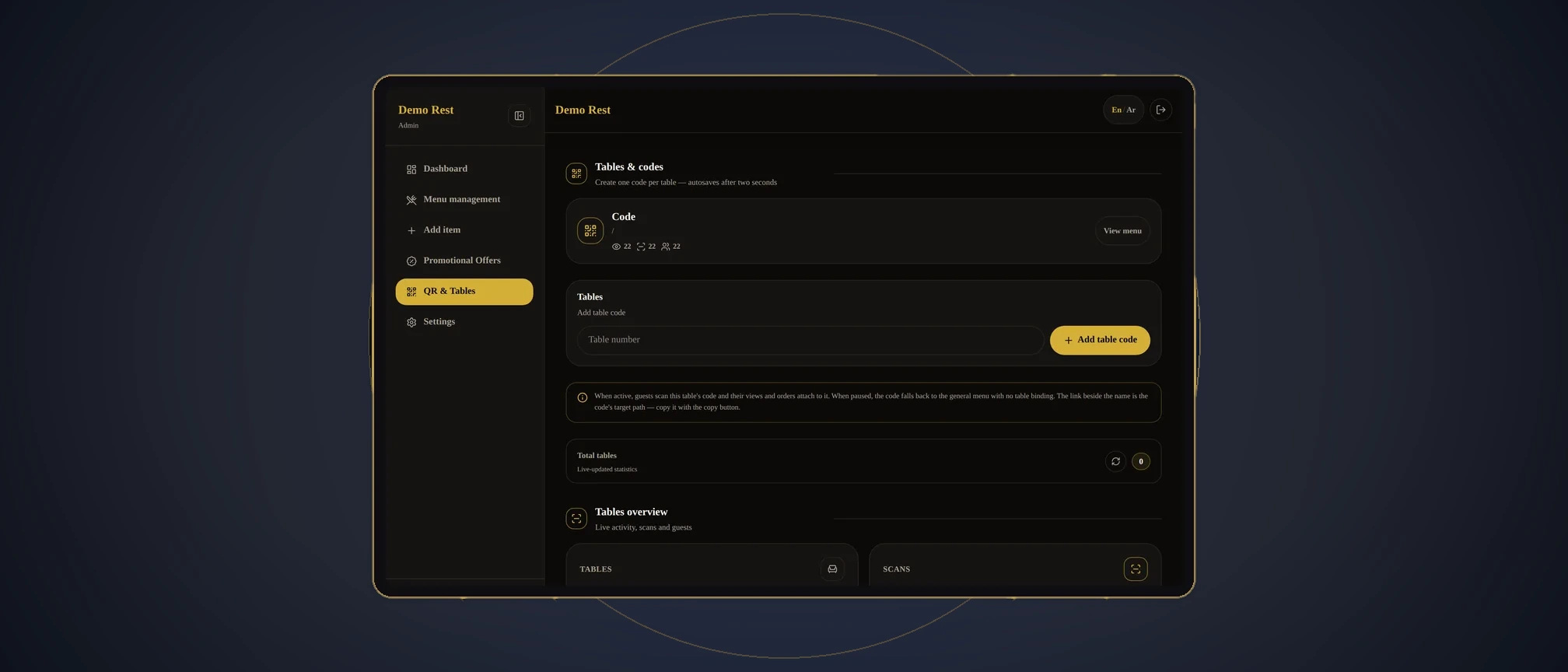
Everything you need to run your menu daily, from one place
Any change to a price, item, photo, or availability appears for guests instantly. No printing and no waiting
Add, edit, and delete items, toggle availability with one tap, and control display priority
Create and edit menu categories with their icons from the panel. A new category doesn't mean a redesign
Import your entire menu at once through the import interface: a fast launch instead of manual entry that takes days
Your restaurant’s name, logo, colors, and fonts everywhere. The menu looks like you made it yourself
Generate codes in your restaurant's colors and identity: eight styles with live preview and print-quality SVG and PNG downloads
A code for each table that shows its number in the menu, so you know which tables engage the most
Views, QR scans per table, most-viewed items, and language and device breakdowns. Decisions built on numbers, not guesses
A view counter for every item, so you know which dish actually catches the eye before ordering (can be enabled in settings)
WhatsApp number, address, daily working hours, social links, location, and currency, all managed from one place
An option to hide prices from the guest menu, for restaurants that prefer not to show them publicly
Automatic hiding of unavailable items, instead of showing them crossed out with an impression of poor management
Protected login, password changes, recovery codes, and session sign-out, with documented security auditing
Chat with us on WhatsApp to learn how your restaurant starts